One platform connecting supervisors, cashiers, and drivers.
Platform
Web + iOS / Android
Screens
21 Backend · 9 Mobile
Role
Product Designer — End-to-End
Year
2021
Responsibilities
01 / Overview
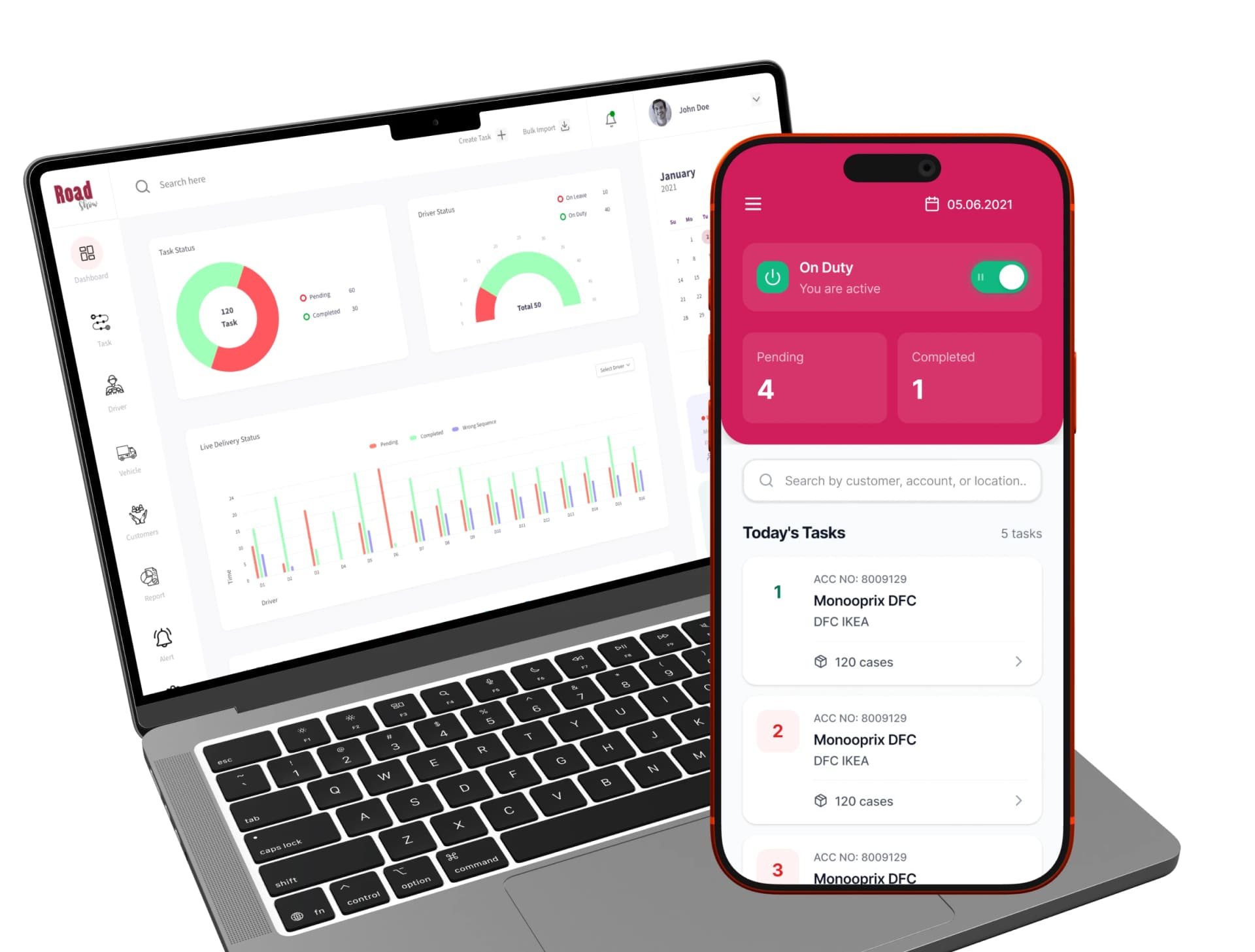
Road Show is an end-to-end delivery management platform built to streamline the workflow between operations teams, cashiers, and field delivery agents. A powerful web-based dashboard for supervisors, and a companion mobile app for drivers — creating a single, connected source of truth for every delivery task.
21
Backend Screens
9
Mobile Screens
2
Platforms · Web + Mobile
02 / The Problem
Delivery operations were running on spreadsheets, phone calls, and guesswork.
Delivery companies were managing complex, high-volume logistics through disconnected tools. Field agents had no structured workflow. Supervisors had no live view of what was happening on the ground. Cash reconciliation was manual and prone to disputes.
“The design needed to serve two very different users at the same time — a supervisor sitting at a desktop managing hundreds of tasks, and a driver on the road needing instant, eyes-up clarity on their next step.”
No Live Dashboard
Supervisors had no unified view of pending, in-progress, or completed deliveries across their fleet. Status required phone calls.
Cash Chaos
Cash collection from customers was unverified, prone to discrepancies, and had no audit trail — creating disputes between drivers and the back office.
No Driver App
Field agents received tasks verbally or on paper — no navigation, no confirmation, no structured status flow. Delivery failures went undocumented.
03 / Backend Dashboard
Command-level visibility for operations teams.
The backend is a modular web dashboard giving operations managers and admins a live, structured view of the entire delivery pipeline. Seven distinct modules each serve a specific user role and workflow need.
Main Dashboard
Operations Manager
Live task status, driver status, delivery heatmap, and calendar overview — the command centre for the entire fleet.
Customer Management
Admin
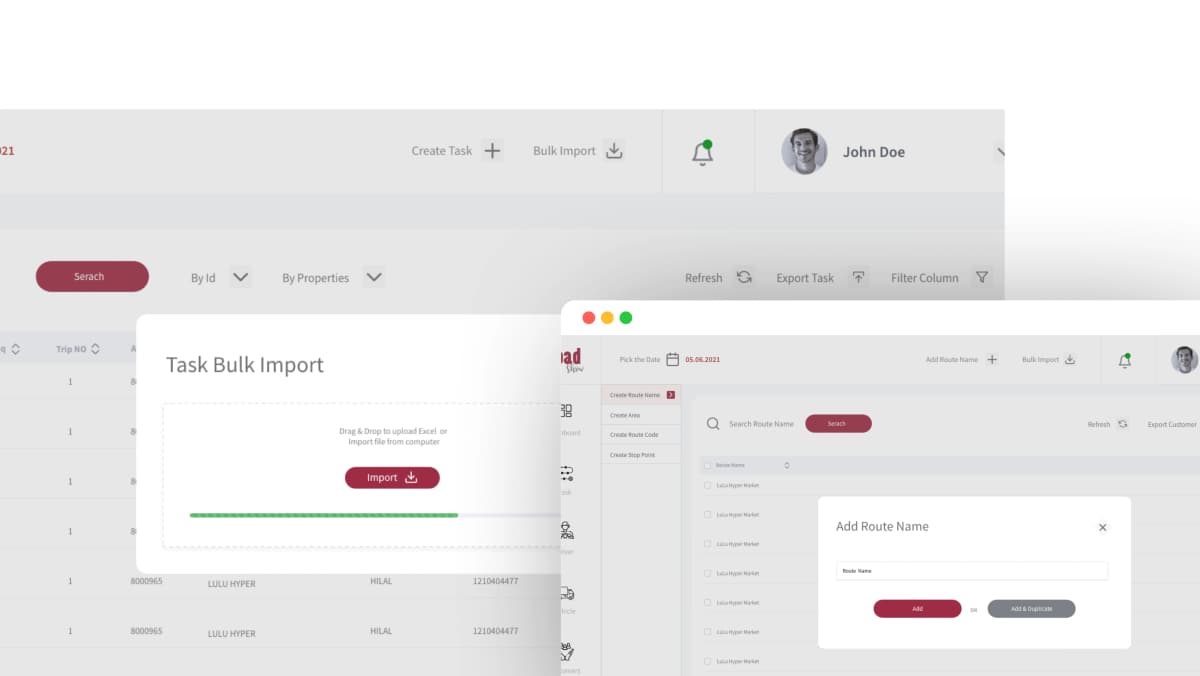
View, search, filter, and export customer records with bulk import — reducing data-heavy operations from 6+ clicks to 2.
Route Management
Operations Manager
Create and manage delivery routes; assign routes to specific drivers for structured, repeatable delivery workflows.
Cashier Management
Admin
Add cashiers with customer assignment and mobile number linking — establishing the cash reconciliation chain before the shift starts.
Task Management
Operations Manager
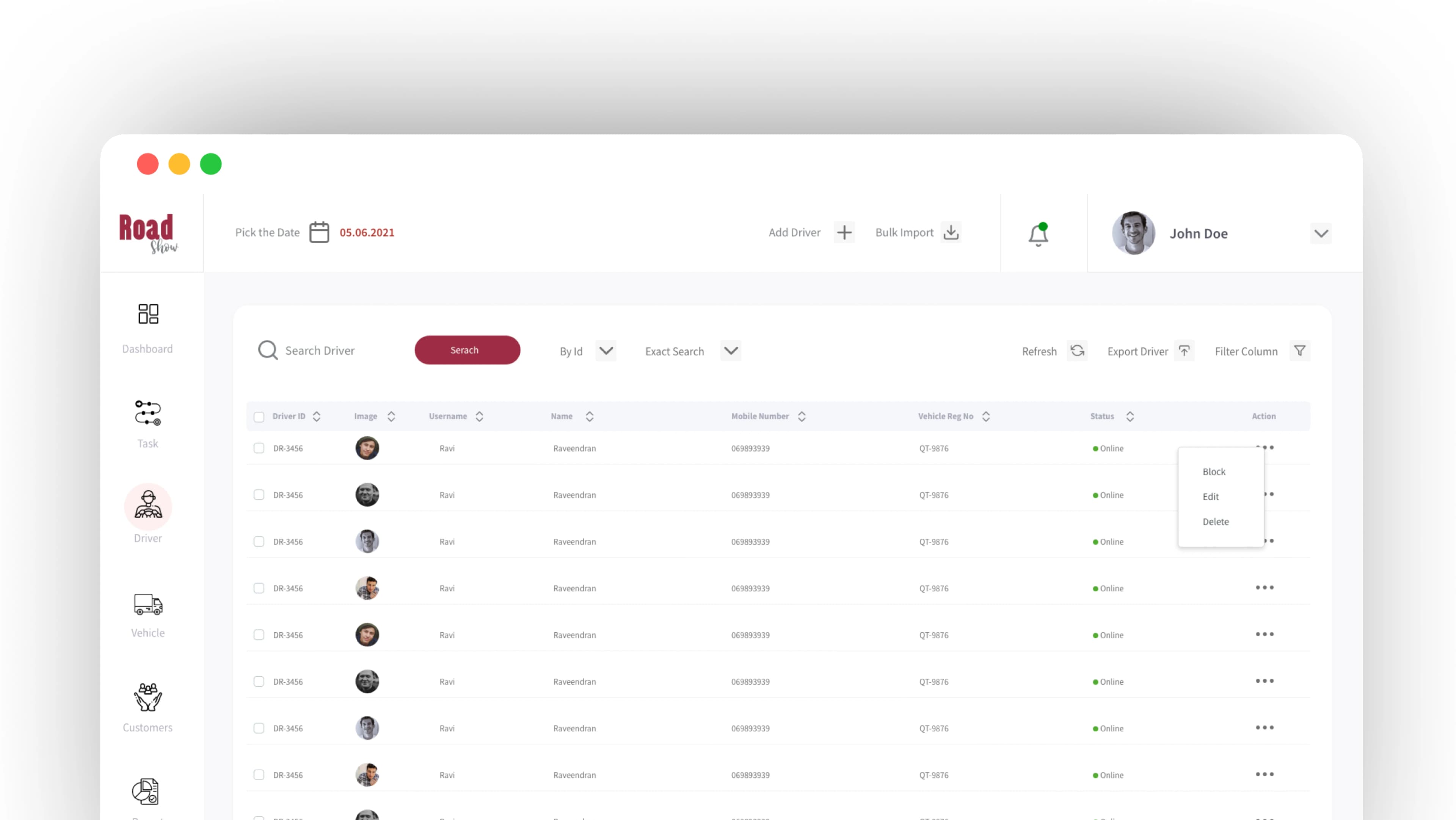
Filter by route, status, or driver — view detailed task breakdowns with full delivery and cash status at a glance.
Driver Management
Admin
View driver profiles with photo, on-duty / on-leave status, and performance data — fleet awareness without phone calls.
Dashboard Deep Dive
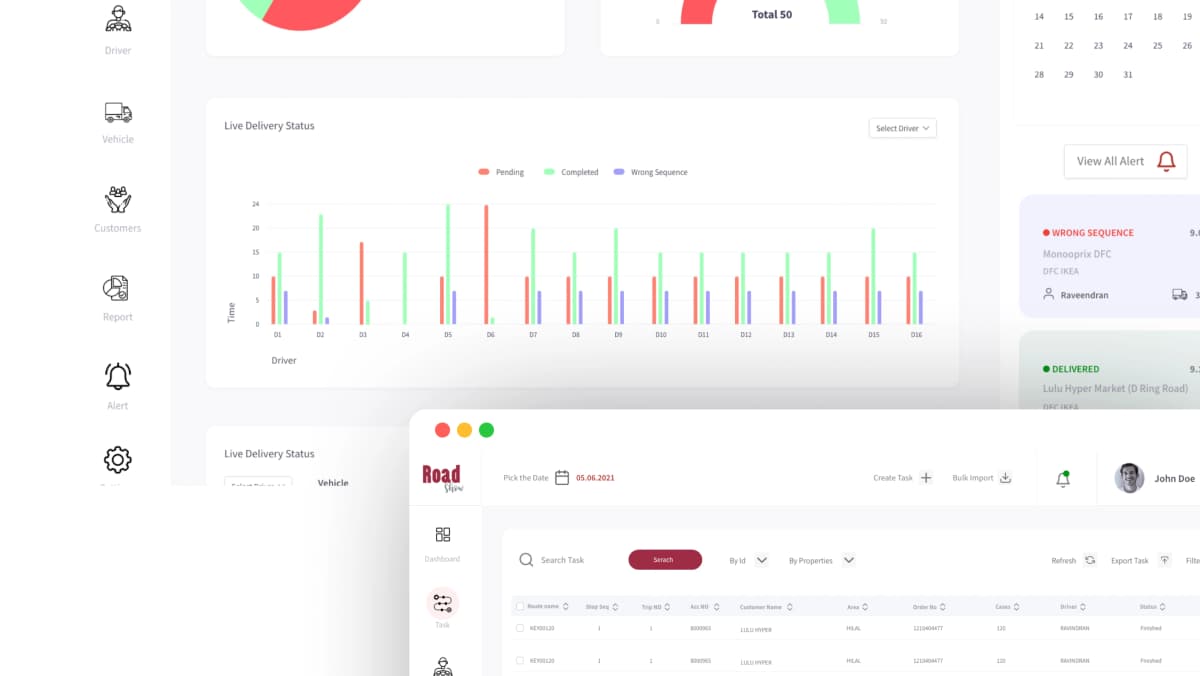
Six purpose-built components give supervisors instant situational awareness without navigating away from a single screen.
Task Status Ring
A donut chart gives an instant split between Pending, Sending, and Completed tasks — color-coded for zero-delay recognition.
Calendar Picker
A compact inline calendar lets supervisors switch date views without navigating away from the dashboard — preserving context.
Alert Feed
Real-time missing sequence alerts surface in a right-panel feed with one-click delete — exceptions, not noise.
Bar Chart Timeline
A grouped bar chart shows live delivery status across time slots — tracking velocity across the shift at a glance.
Delivery Heatmap
A color-coded grid maps delivery status per driver per time window — instantly surfacing which drivers are behind.
Driver Status Panel
On-Leave and On-Duty driver counts displayed alongside the task ring — fleet availability at a glance.
04 / Mobile Application
A guided experience for field delivery agents.
Every interaction optimised for one-handed use, outdoor readability, and minimal cognitive load. The mobile app walks drivers step-by-step through their shift — from duty activation to cash verification.
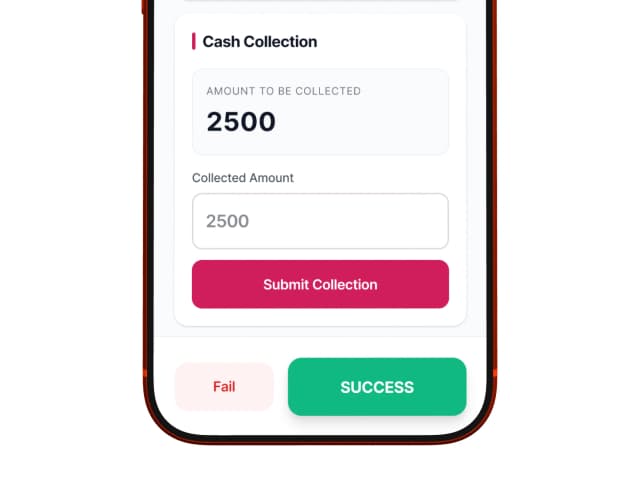
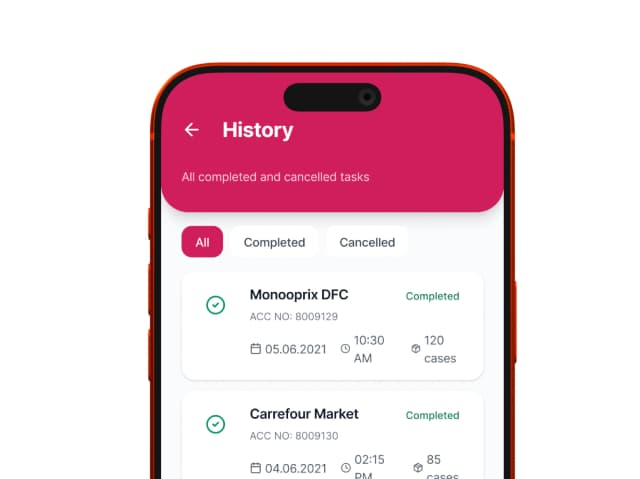
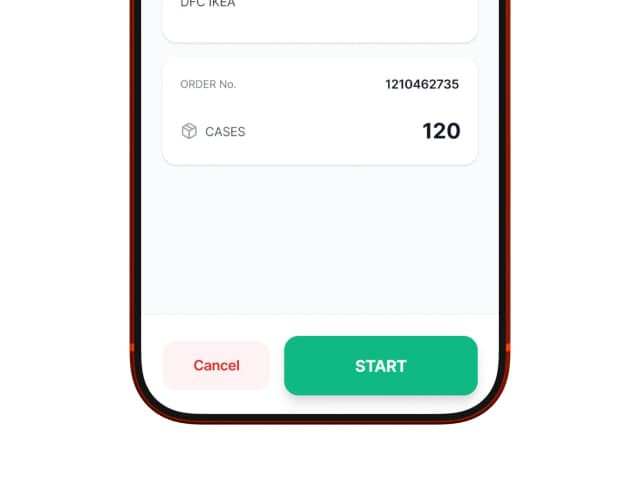
Login Screen
Username & Password login — simple and fast.
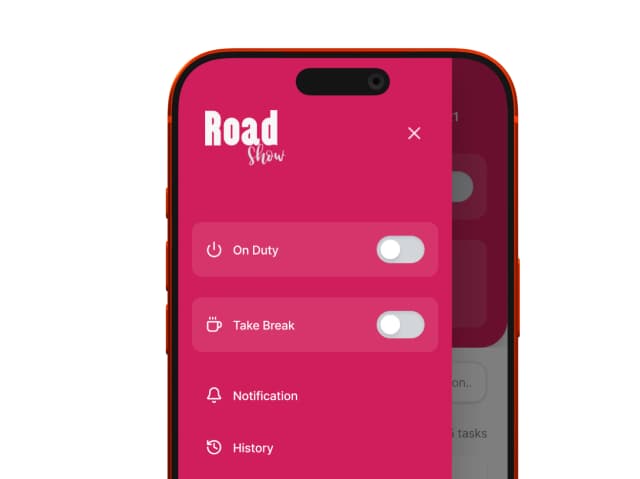
On-Duty Toggle
Drivers manually activate their shift before tasks appear.
Task List
45 pending tasks surfaced immediately on duty activation.
Cash Collection List
Total customer count and collected amounts at a glance.
Customer Detail
ACC NO, customer name, amounts due vs. collected.
OTP Verification
Secure OTP-based cash confirmation screen — dispute-proof record for every transaction.
Fail Reason Entry
Submit or Discard with a Fail–Success status slider for documented delivery outcomes.
Navigate Button
Direct map navigation triggered from the task detail — one tap to route.
Status Overview
Assigned, Finished, Pending, Cancelled with counts — driver's personal scoreboard.
Design Principles
High Contrast, Large Targets
Readable even in direct sunlight. Tap targets sized for gloved hands and bumpy roads.
Progressive Disclosure
Each screen reveals only what the driver needs at that moment — no information overload.
Verification-First Cash Flow
OTP confirmation before finalizing collection — zero ambiguity, full accountability.
05 / Key User Flows
Complex operations reduced to clear, auditable sequences.
Backend — Adding a Cashier
Bulk 'Add & Another' action reduces repetitive form cycles by 60% for high-volume cashier setup.
Mobile — Cash Collection
9 steps from login to confirmed collection — no ambiguity, no disputes, fully auditable.
OTP Verification — A Critical UX Decision
By requiring both driver and customer to confirm via OTP, the system created an auditable, dispute-proof record for every transaction — reducing cash discrepancy complaints and building driver accountability without added friction. The OTP screen was designed to feel like a confirmation, not an interrogation.
06 / Outcome
“Designed with intention. Built for the field. Road Show bridges the gap between operational complexity and human simplicity — every screen crafted to reduce friction, build trust, and move deliveries forward.”
30
Total Screens
7
Dashboard Modules
2→1
Bulk Import Clicks
0
Cash Disputes
Real-time operational visibility — supervisors monitor live task and delivery progress from one dashboard.
Structured cash reconciliation — OTP verification eliminated ambiguity and created an auditable trail for every transaction.
Driver accountability system — fail-reason logging gave managers documented insight into delivery failures for the first time.
Scalable admin tooling — bulk import/export on every module reduced data entry time significantly.
Guided mobile workflow — step-by-step task flow reduced driver errors and support calls in the field.
30-screen system delivered — 21 backend + 9 mobile screens with a unified design system, developer-ready.
Next Project
Valley Design Tool Calculator
Precision irrigation system calculations — built for dealers in the field as a native iOS mobile app.
View Case Study