A centralized mobile hub for the Valley® dealer ecosystem.
Client
Valmont Industries · Valley®
Platform
iOS Mobile Application
Role
Product Designer — End-to-End
Year
2024
Tools
01 / Overview
Valley® is the world's leading irrigation brand. Yet dealer representatives — managing complex order pipelines daily — had no mobile tool to do this simply and efficiently.
The Valley® Dealer Suite is a centralized mobile hub — a single app where dealers can track open orders, receive real-time notifications, access the Valley® app ecosystem, and get clear status updates on every order in their pipeline, all from their phone.
Platform
iOS Mobile
Notification Streams
3 Categories
Onboarding Steps
6-Step Walkthrough
02 / Challenge
Dealers had no single source of truth in their pocket.
Critical updates were missed. Workflows were fragmented. Dealers needed a reliable, mobile-first way to check order statuses, receive alerts on delays, and navigate the Valley® app ecosystem — all in one place.
No Order Visibility
Dealers lacked a real-time mobile view of open orders, statuses, and purchase details while in the field.
Missed Notifications
Critical order updates, delays, and feature announcements had no dedicated mobile delivery channel.
Fragmented Ecosystem
Valley® has multiple dealer tools with no central launchpad connecting them for quick, unified access.
03 / Process
Structured, iterative — dealer workflows first.
Discover
Research on dealer workflows, pain points, and existing Valley® tools.
Define
Mapped user goals, core flows, and information architecture.
Design
Wireframes → Hi-Fi → Component system, Valley® brand aligned.
Prototype
Interactive Figma prototypes for stakeholder review and flow validation.
Handoff
Dev-ready Figma file with annotated specs and design tokens. 100% complete.
04 / Screens
05 / Features
Every screen built for a dealer in the field.
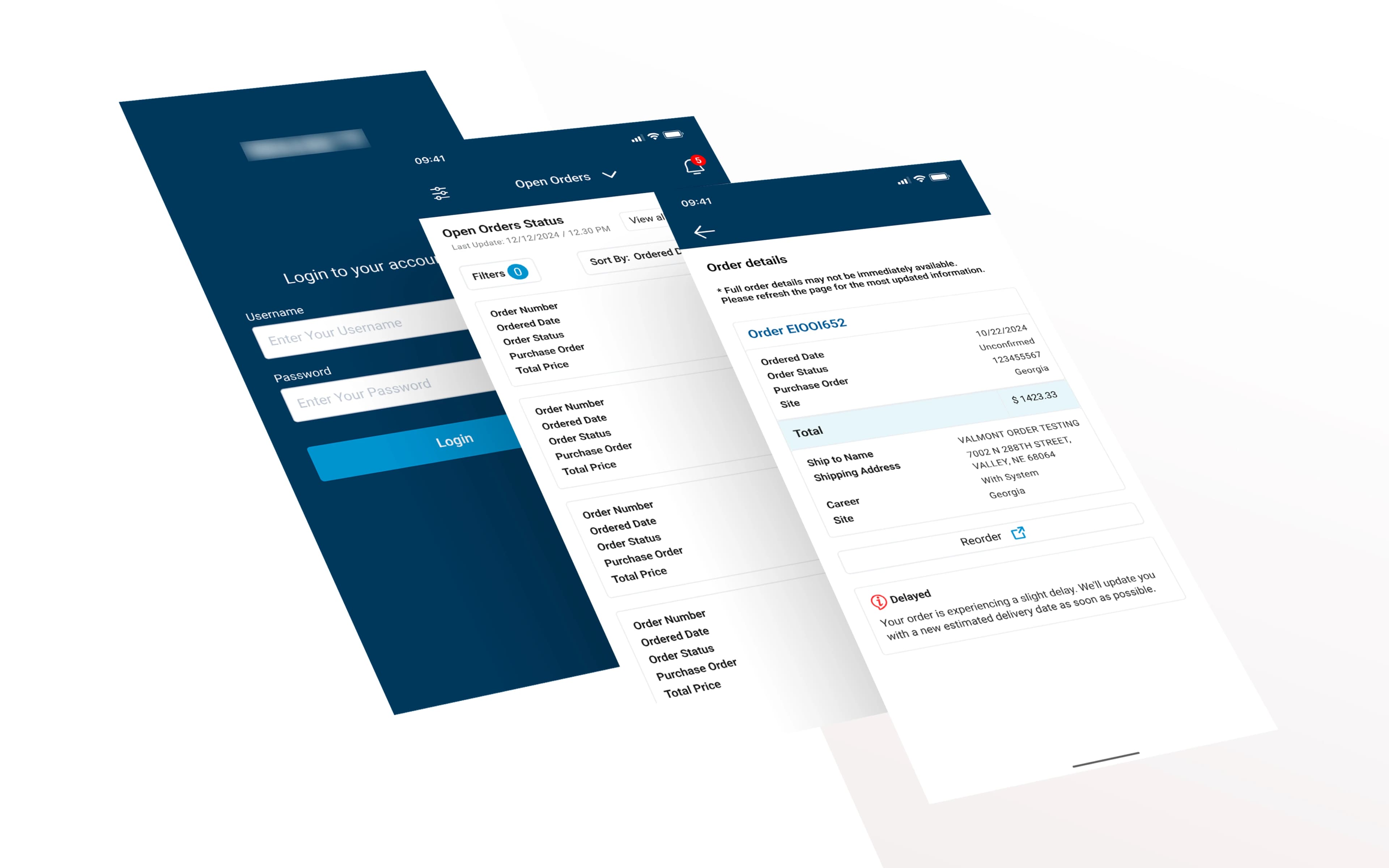
Authentication & Onboarding
The entry experience was designed to be fast, trusted, and brand-forward.
Splash Screen
Brand-first entry with app version info and a single primary CTA — reducing cognitive load before login.
Login States
Empty, filled, password-visible, and keyboard-active states — all real-world input scenarios covered.
Welcome Screen
Post-login landing communicates the three key app capabilities instantly — track, launch, stay informed.
Design Decision
The dark navy header with the white Valley® logo was maintained throughout the entire app — not just the splash screen. Dealers always know exactly which platform they're on, which builds trust in an enterprise context where multiple tools co-exist.
Order Management
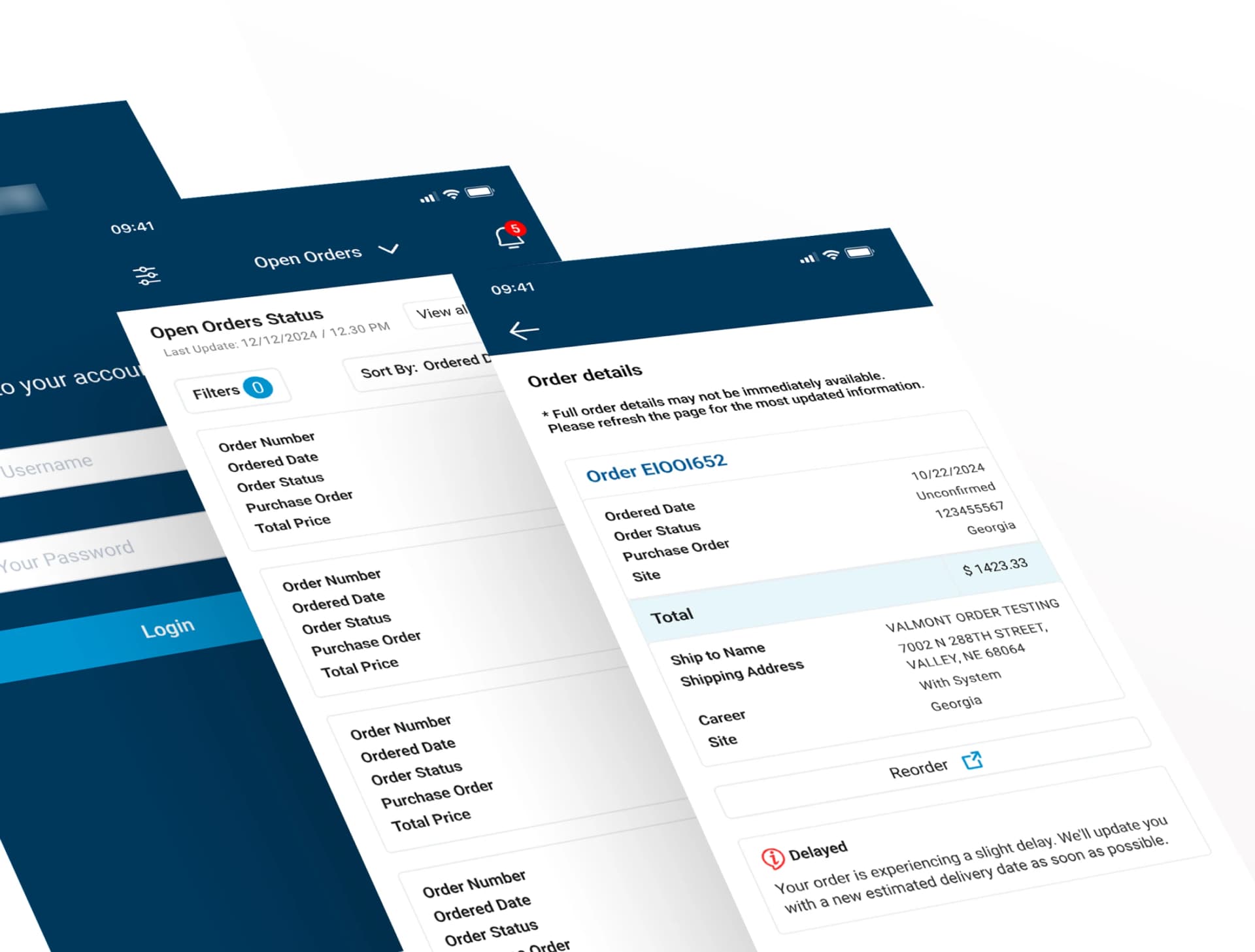
The heart of the app. Dealers need to know — at a glance — what orders are open, delayed, unconfirmed, and where each shipment is going.
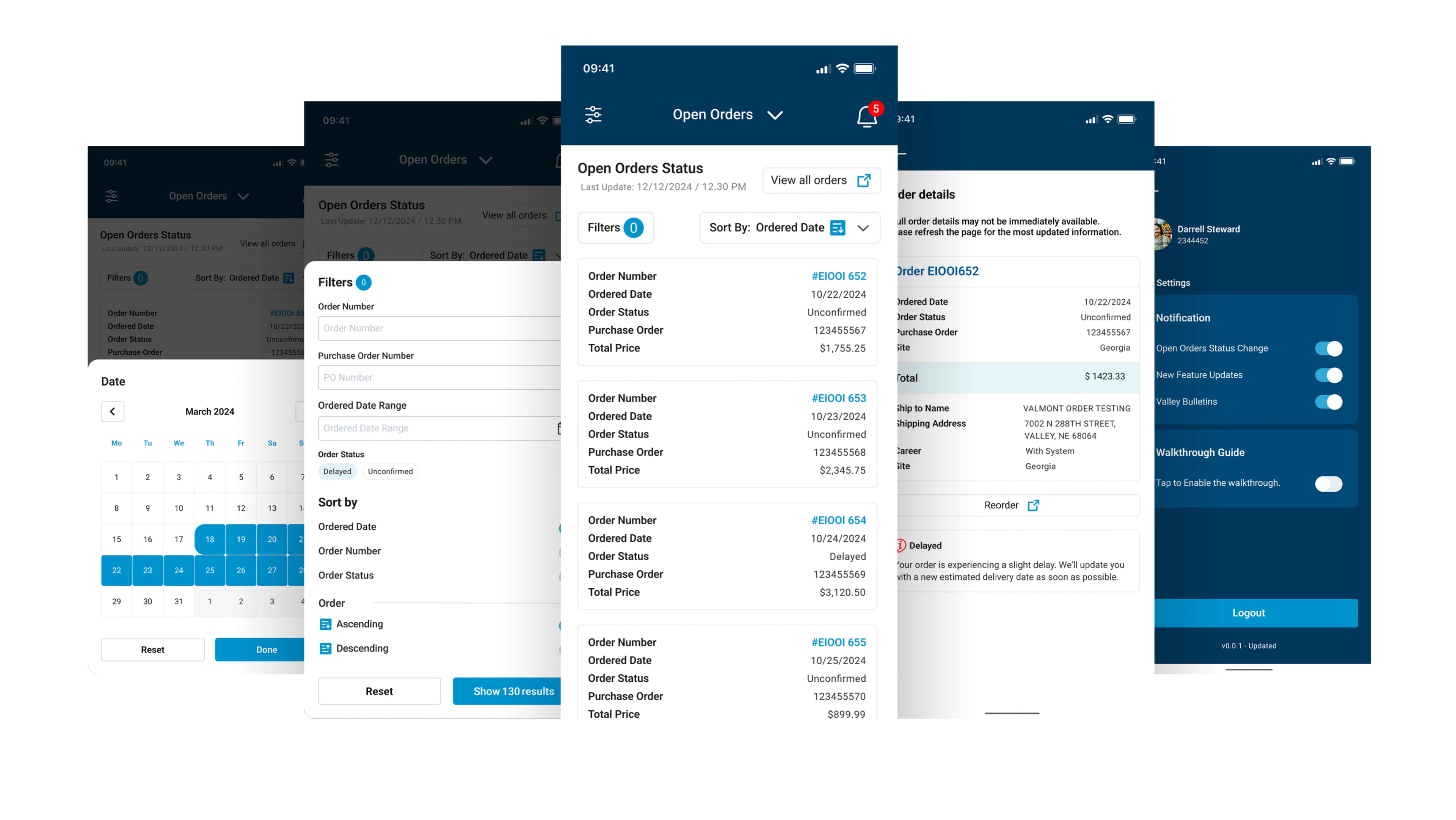
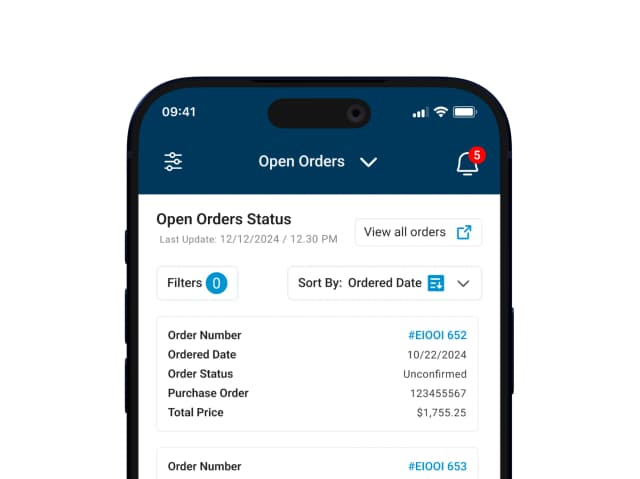
Order List with Status Badges
Card rows with order number (Valley® blue CTA), date, status badge, PO number, and total. Tap through to full detail.
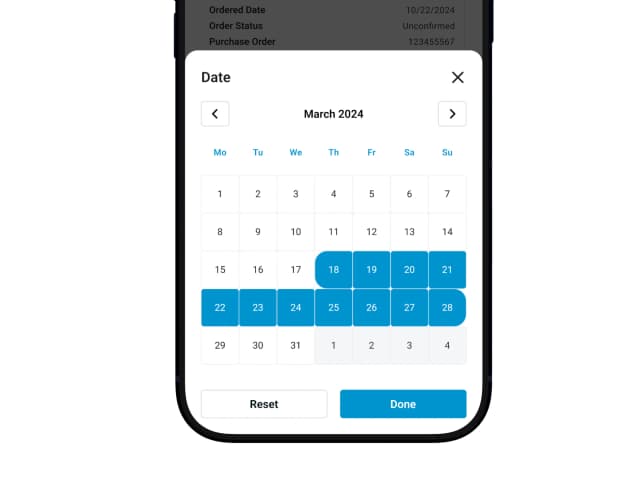
Filters & Sorting
Filter by status, sort by date — quickly narrowing to orders that need attention.
Delay Alert State
A dedicated warning state for delayed orders with a clear, empathetic message — reducing anxiety through transparency.
6-Step Onboarding Walkthrough
Tooltip-driven tour covering every key feature — reducing support burden and making dealers self-sufficient on day one.
UX Insight
The 'Last Checked' timestamp on the orders dashboard was a deliberate trust signal. Dealers in the field need to know if what they're seeing is current. Showing the exact last-refreshed time — prominently — eliminated uncertainty and reduced unnecessary re-logins.
Notification System & Launchpad
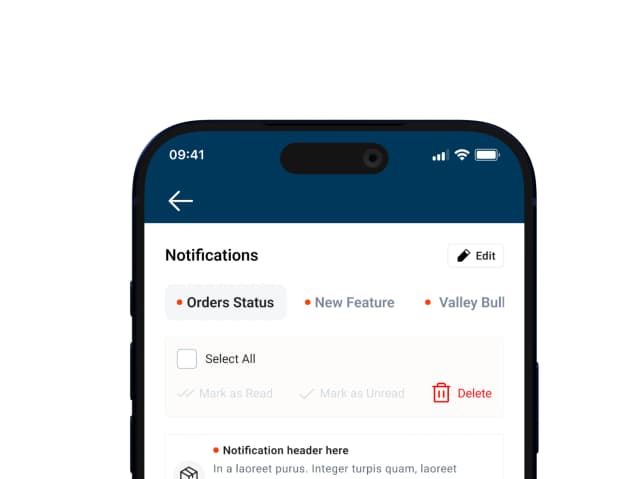
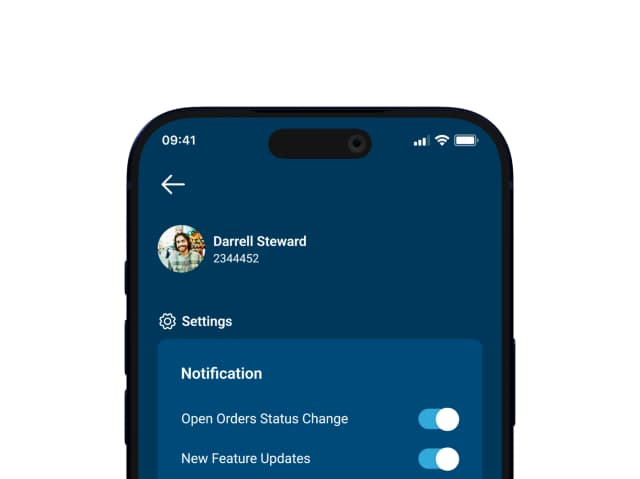
Notifications split into three color-coded categories — preventing order alerts from getting buried under promotional content.
The Valley® App Launchpad within the suite serves as a single entry point to the entire Valley® digital ecosystem — reducing app-switching friction and keeping dealers in flow.
Edit Mode
Select all, mark read/unread, bulk delete. Full inbox control.
Loading State
Branded animation prevents jarring empty-state flash.
Delete Animation
Trash icon animates, then a 'Done!' confirmation — no silent deletion.
Empty State
"Watch this space!" — reassures users the feature is active, not broken.
06 / Outcome
“Enterprise tools deserve the same UX craft as consumer apps. Every second of confusion costs real trust — and real revenue.
1
Unified Hub
3
Notif. Streams
6
Onboarding Steps
100%
Dev-Ready
Unified Pipeline
One app replaced multiple fragmented touchpoints — dealers manage their entire order pipeline from a single screen, without switching tools.
Zero Missed Alerts
Three color-coded notification streams ensure order delays, feature updates, and bulletins each reach dealers through the right priority channel.
Self-Service Day One
A 6-step tooltip walkthrough eliminated the need for training sessions — dealers become independent users on first launch.
Functional Empathy
Loading states, delete confirmations, and empty states weren't decorative — they were deliberate trust signals that make the app feel considered and reliable.
Next Project
Valley Design System
A comprehensive design system for the Valley® product ecosystem — components, tokens, and patterns.
View Case Study